
Or to be more exact, use a coding agent in a tool. This is my new starting point every time I begin to think of a tool I want to implement.
Being part of the pipeline
A couple of weeks ago I thought of creating an OpenCode agent that will check my uncommitted changes, construct a commit message and finally make the actual commit.
The first version was ok but I wanted to make a few changes. First I wanted the agent to follow certain guidelines, so I edited the agent file. Then I wanted to change the way it constructed the git command, so I edited the agent file. Finally I wanted to support the usage of GitButler, so I edited the agent file.
At that point I realized that I was violating the single responsibility principle big time. No matter the change I’ve kept editing the same component. And it hit me, fascinated by all the things I was able to do with a coding agent I failed to apply good engineering practices when it comes to the construction of tools.
Small coherent components that do one thing and do it well
When we write code we tend to break it into small modules, classes, functions that have one responsibility and provide a lean API. This way we can reuse components, combine them in different ways and replace them easily.
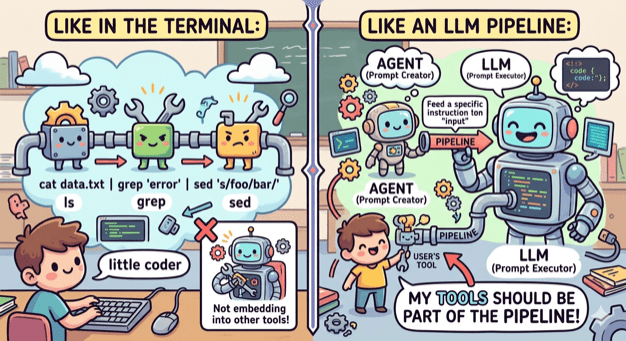
No need to do the opposite when it comes to tooling. The terminal has led the way by having small tools that do one thing (ls, grep, cat etc) and can be combined, by using pipes, into an entire workflow. My tools need to embrace that as well.
ai-commit.sh
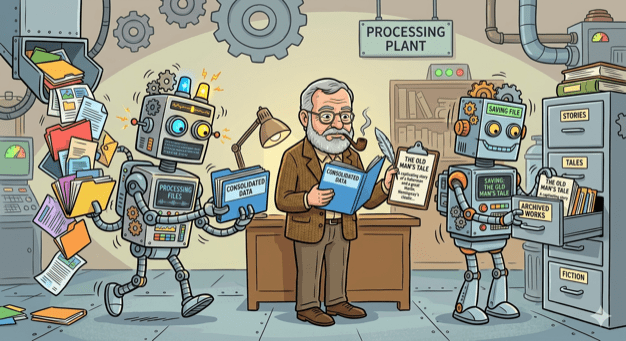
So I broke my agent’s workflow into distinct components:
- Create a single prompt from collecting all changes. This can be done by a bash script.
- Feed the prompt to an agent that is configured to create a title and a message. This can be done by OpenCode with a custom agent.
- Get the agent’s output and use it to make a commit using the appropriate tool. This can be done by a bash script.
I created the two scripts and also wrote one more that ties everything together: ai-commit.sh
In case you are wondering why Hemingway (or Hemi for the friends) is in the picture, it’s just the name I gave to what was left from the original agent: hemi.md
Pinky and Brain v2

Three months I wrote about Pinky and Brain, my agent/subagent duo that was helping me plan and execute a task while being in the loop. I was using it quite often but whenever I did I also saw the number of my available copilot requests decreasing fast! So I started avoiding it and preferred writing code manually like a caveman.
My setup was a testimony of using coding agent as a tool. It was doing everything. Apart from planning, that should be done by it, it was also looping through tasks, delegating work, making commits, asking for the user’s approval to continue looping. Many of these operations where new requests (x3 because of Opus).
So I sat down and broke that too:
- Planning is still being make by an agent (Brain). Only this time it is not tied to a model and it is very restricted. It can only save the created tasks to beads which will be loaded as a skill.
- Execution is still being done by an agent (Pinky). Only this time it is even more simpler. It is asked to just follow instructions nothing else.
- Everything else is part of a bash script that (a) uses
bdto get the next task, (b) provides its description as a prompt toPinky, (c) closes the task whenPinkyreturns, (d) usesai-commit.shto create a commit, (e) loop again.
I’ve been using it for a couple of weeks now and I’m sure I have a better consumption of requests.

 le0nidas